



Joining a campaign
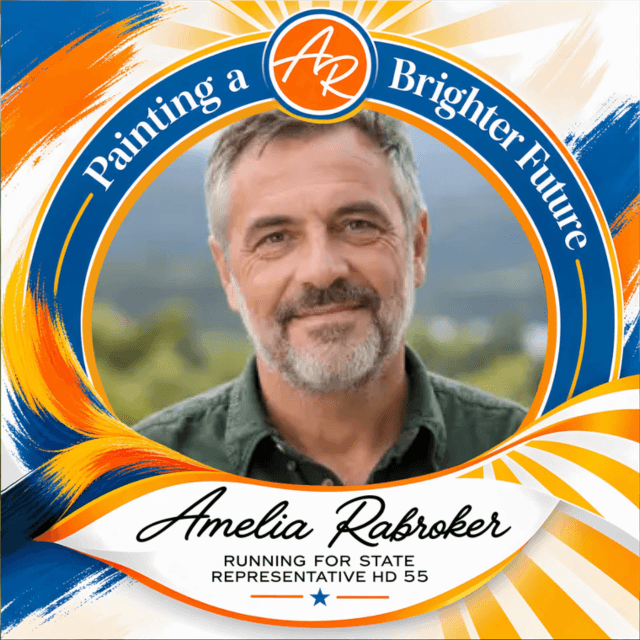
Add your photo, download and share.
How do I add my photo to a frame?
Open the campaign link and tap Add your photo. Pick a photo or take one, then drag and pinch to place it in the frame.
If the organiser asks for your name, type it in. Tap Create and your frame is ready to download.
Do I need an account or an app?
No. Supporters never need an account or an app. Everything happens in your browser.
Where did my download go on iPhone?
On iPhone and iPad, Download opens the share sheet. Choose Save Image to put the frame in your Photos app.
If you saved it as a file instead, it is in the Files app under Downloads.
How do I post it to WhatsApp Status or Instagram Stories?
On the result screen, choose Story · 9:16 above the Download button. It makes a tall image with the campaign link, sized for Status and Stories.
What is “I’m joining as”?
Some event campaigns offer roles such as Speaker or Volunteer. Pick one and it prints next to your name on the frame.
Creating a campaign
Frames, dates, posters and limits.
How do I start a campaign?
Tap Start a campaign. Add your frame, the title and details, then publish. You’ll get a short link and a QR code to share.
Start a campaignWhat frame file do I need?
A square PNG with a transparent opening where the photo goes. Framezi checks the opening when you upload.
No design? Pick a ready-made design or tap Create with AI and describe the occasion, wording and colours.
How many campaigns and frames can I have?
3 campaigns on the Free plan, each with up to 3 frame designs and unlimited supporters. Every campaign you create counts; deleting one doesn’t free a slot.
See pricingCan a campaign open later?
Yes. Set a start date. Until then the page shows a countdown, and visitors can tap Remind me to add it to their calendar.
How do I print a QR poster?
From your campaign’s share card, open Print a QR poster. Choose A4 or A5 and light or dark, then print or save as PDF.
Results and analytics
Your dashboard, exports and emails.
What does the dashboard show?
Visits, frames made, downloads and shares for each campaign, with where visits come from.
Open your dashboardCan I export my numbers?
Yes. Analytics and each campaign have Export CSV: one row per day with visits, participants, frames, downloads and shares.
What is the Monday email? Can I stop it?
A short summary of last week, sent only in weeks with activity. Turn it off in Settings or with the link in the email.
Privacy and safety
What we see, and what we never do.
Is my photo private?
Yes. The frame is made on your own device and the original photo is never uploaded to Framezi.
A finished frame is only uploaded if you choose Post. It is removed after 30 days (sooner once the gallery passes its newest 100 frames), or any time you tap Unpublish.
Read the privacy policyWhat happens to what I write to Zizi?
Your messages are sent to our AI provider to write a reply. Framezi does not store chat messages, only daily counts such as how many questions were asked.
How do I report a campaign?
Use Report this campaign at the bottom of the campaign page. Our team reviews every report.
Account and support
Sign-in, languages and reaching us.
I forgot my password.
On the sign-in page, tap Forgot password and we’ll email you a reset link.
Reset passwordHow do I change the language?
Choose a language at the bottom of any page. Campaign pages and Zizi follow your choice.
How do I reach a person?
Email support@framezi.app or message us on WhatsApp (+94 70 589 7253), Monday to Saturday, 9:00 to 18:00 Sri Lanka time.
Contact usStill stuck? Zizi answers in seconds.
Or talk to a person: support@framezi.app or WhatsApp +94 70 589 7253, Monday to Saturday, 9:00 to 18:00 Sri Lanka time.